How to share a secret note that self-destructs
Some things don't belong in a chat history: the WiFi password, a door code, the login you swore you'd only share once. Send them over text or email and they sit there forever — on your device, on theirs, and on whatever servers carried the message along the way.
Secret notes are our answer to that. You write the note, your browser encrypts it before anything leaves your device, and you get a single link to share. The recipient opens the link, reads the note once, and it destroys itself. We never see what you wrote — the decryption key travels inside the link and is never sent to our servers.
Here's the whole flow, start to finish.
1. Write your note
Go to Secret Note (it's in the navigation bar, next to Home). Type whatever you need to share — up to 100,000 characters, so a whole config file fits too.
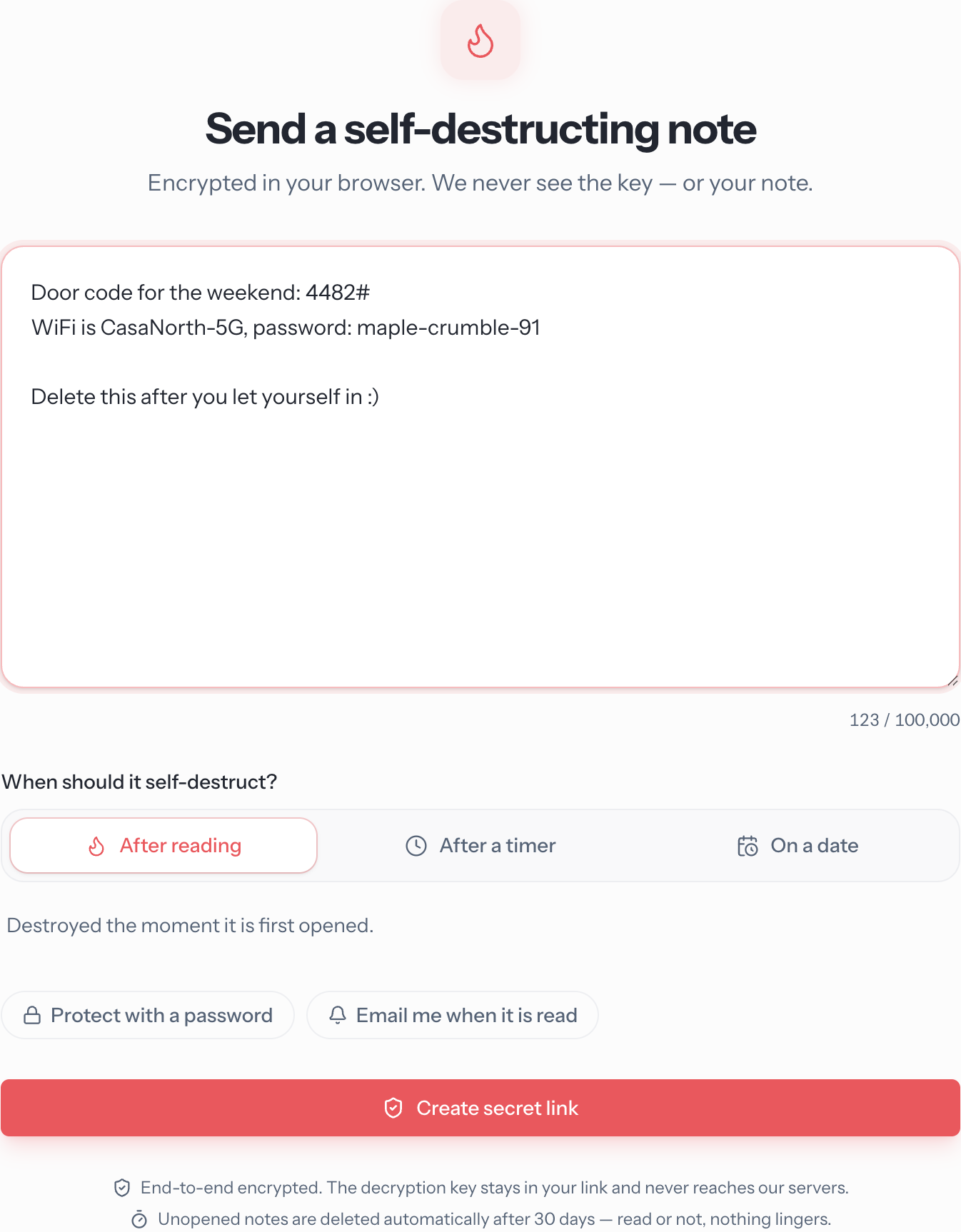
2. Decide when it should self-destruct
Every note destroys itself — you just pick the trigger:
- After reading — the classic. The note is destroyed the moment it's first opened. Best for passwords and codes.
- After a timer — the note lives for 1, 3, 7, or 30 days and can be read as many times as needed until then. Good when you're not sure exactly when they'll get to it.
- On a date — pick an exact date and time for it to disappear. Handy for "this code works until Friday" situations.
There are two optional extras below the timer settings:
- Protect with a password — the recipient needs a passphrase on top of the link. Share it through a different channel than the link itself (link over email, passphrase over text, for example). Even someone who intercepts the link gets nothing.
- Email me when it is read — a read receipt. You'll get one email the moment the note is opened.
3. Copy your secret link
Hit Create secret link and you'll get the one and only copy of your link:
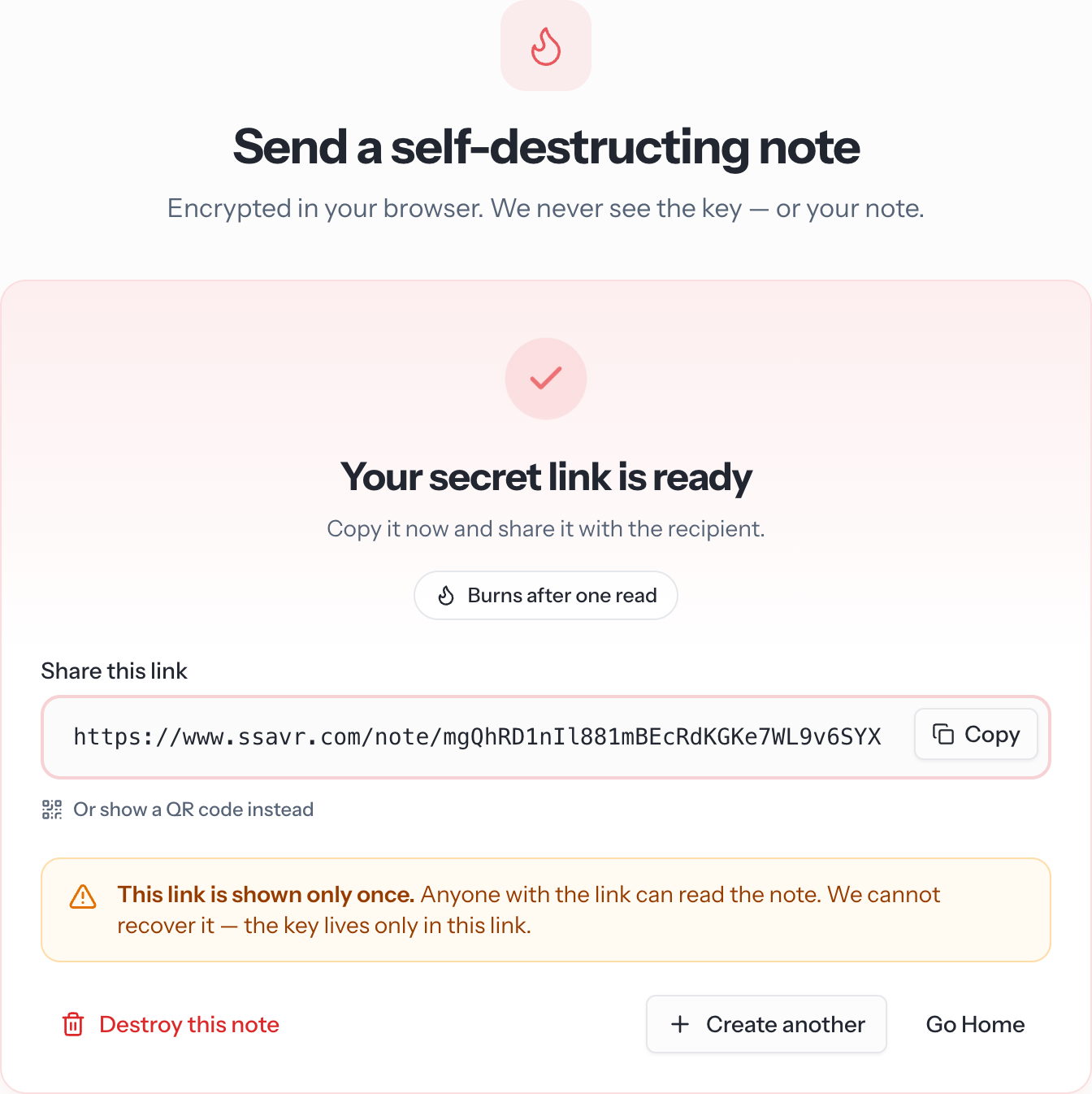
That warning is not us being dramatic. The part of the link after the # is the decryption key, and it never reaches our servers — so if you lose the link, nobody can get the note back, including us. That's the point.
Send the link however you like: chat, email, carrier pigeon with a QR code. Speaking of which — Or show a QR code instead renders the link as a QR code, so you can hand someone a secret phone-to-phone without the link ever transiting a network.
What the other person sees
The recipient doesn't need an account or an app. Opening the link shows a gate first, so the note can't be burned by an accidental click or a link-preview bot:
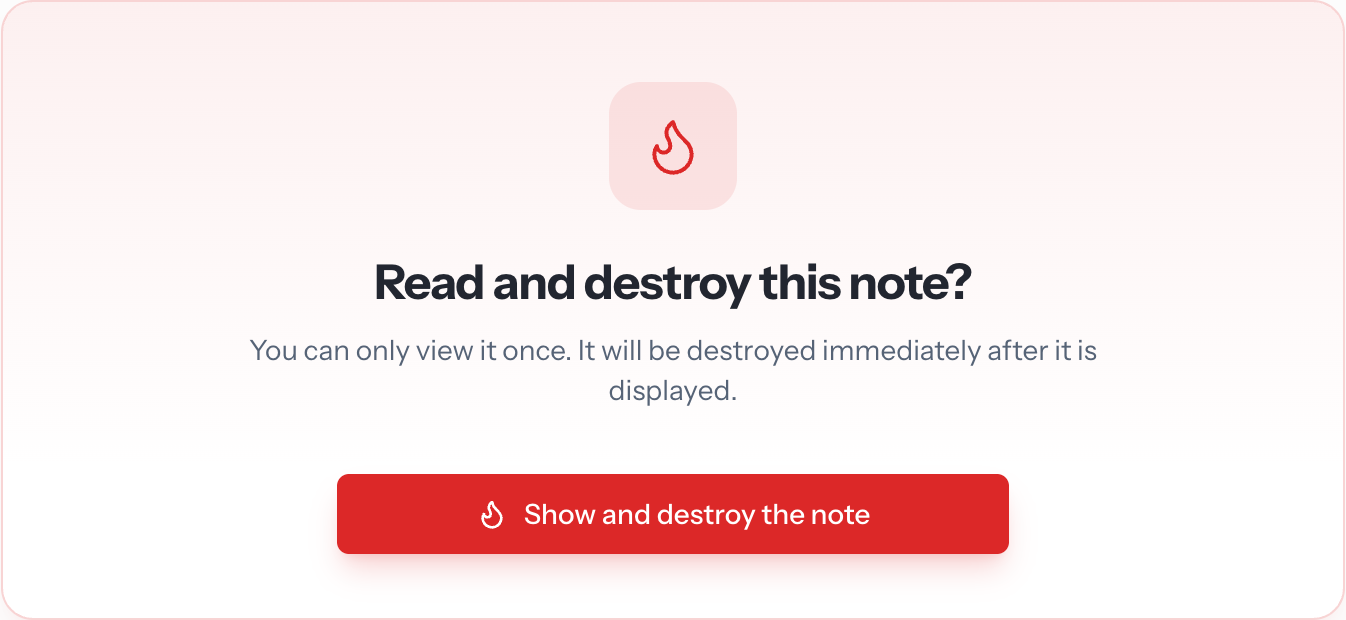
Once they confirm, the note decrypts right there in their browser:
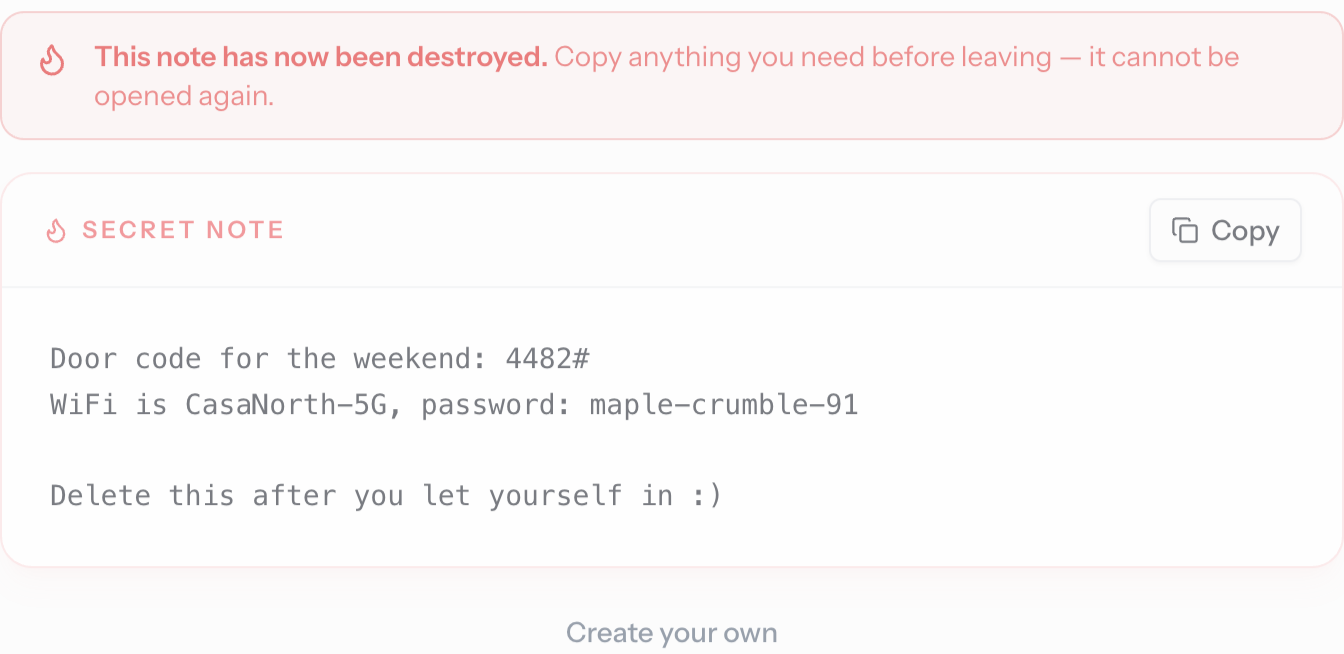
And then it's gone
Anyone who opens the link afterwards — including the recipient hitting refresh — gets this:
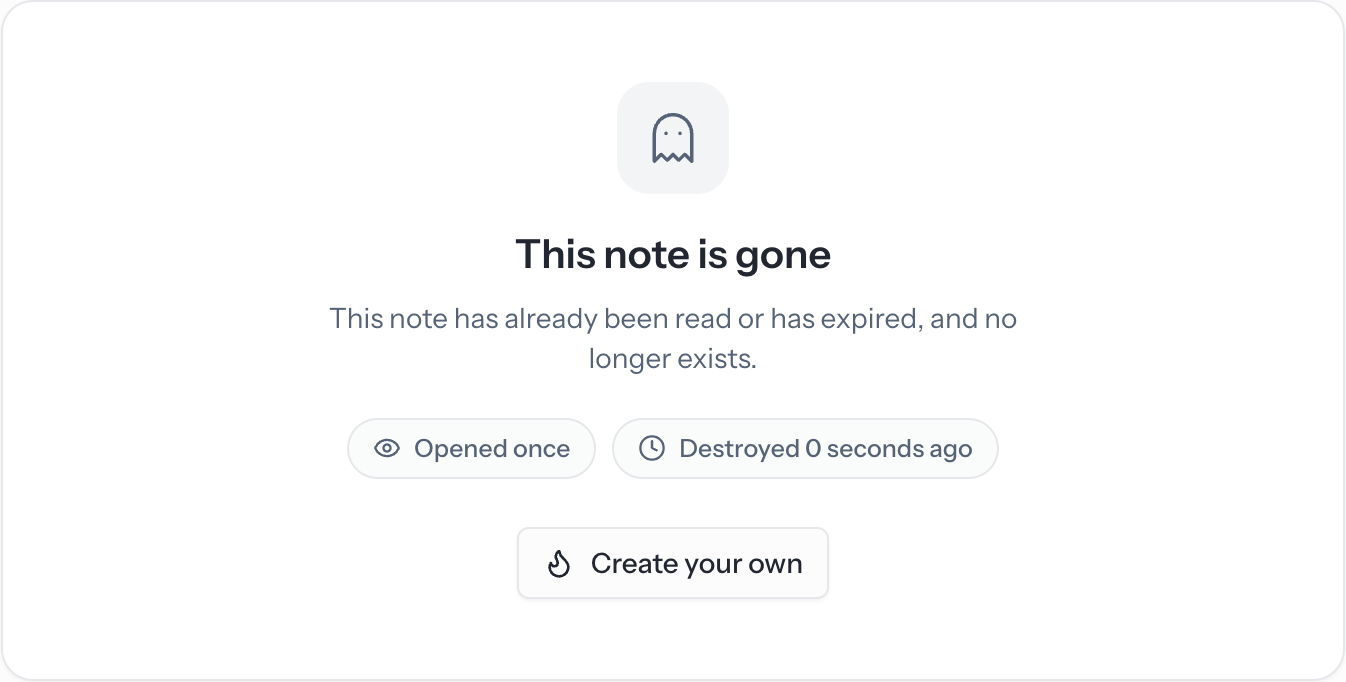
Those little chips are useful: if you shared a burn-after-reading note and the tombstone says Opened once, you know your recipient got it. If it says the note expired without ever being read, you know they didn't.
Good to know
- Zero knowledge, for real. Encryption and decryption happen entirely in the browser. Our servers only ever store ciphertext they cannot read.
- Sent it to the wrong person? Use Destroy this note on the created screen before they open it, and it's gone.
- Nothing lingers. Notes that are never opened are deleted automatically after 30 days, timer or not.
- It's not your savr. Secret notes are separate from the text and files you sync on the home page — they're for one-off secrets, not everyday syncing.
That's it. Next time someone asks you to "just text me the password" — don't. Send them a link that forgets.
Was this article helpful?